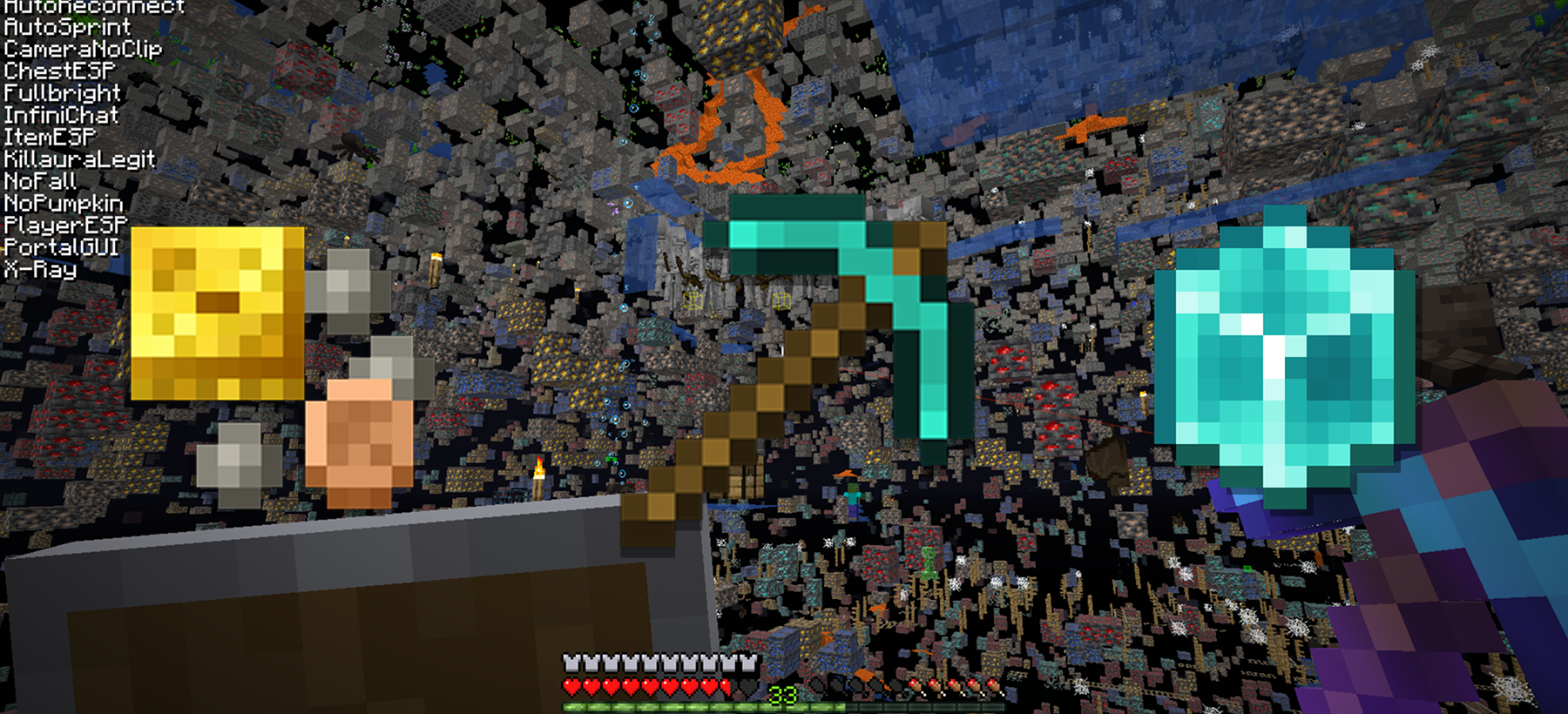
Someone on your server just found diamonds suspiciously fast. Again. They claim they got lucky, but three days in a row? Meanwhile, another player is landing hits from six blocks away, and a third seems to know exactly where everyone is hiding underground. You have a cheater problem, and whitelisting alone will not solve it.
The good news: Minecraft servers have layered defenses against these exploits. Paper includes a built-in anti-xray system. Dedicated anti-cheat plugins catch movement hacks, combat exploits, and killaura. And a handful of config tweaks can make ESP and freecam far less useful. This guide covers the full stack.
Paper's Built-in Anti-Xray
If you are running Paper or Purpur (and you probably should be — see the server software comparison), you already have anti-xray available. It just needs to be enabled and configured.
Paper's anti-xray works by modifying what block data gets sent to the client. Instead of sending the real blocks, it sends fake ones until you actually reveal a block by breaking an adjacent block or having line of sight to it.
Engine Mode 1 vs Engine Mode 2
Paper offers two modes, and understanding the difference matters:
Engine Mode 1 replaces specified "hidden blocks" (like diamond ore, ancient debris, chests) with fake blocks — typically stone, deepslate, netherrack, or end stone depending on the dimension. When you break a block next to the hidden one, the server reveals the real block.
The problem: engine mode 1 only hides ores that are completely surrounded by solid blocks. If an ore is exposed to a cave, mineshaft, or any air pocket, the client still receives the real block data. X-ray users can still see exposed ores.
Engine Mode 2 takes a more aggressive approach. It replaces both hidden blocks and surrounding blocks with a random mix of fake ore blocks. To a cheater using x-ray, the world looks like a chaotic mess of diamonds, gold, and iron everywhere — making it impossible to distinguish real from fake.
The tradeoff: engine mode 2 causes more work for the client. Some players on lower-end machines may experience FPS drops, particularly when mining in areas with many block updates. Most modern hardware handles it fine.
Recommended Configuration
In your config/paper-world-defaults.yml (or per-world config), the anti-xray section looks like this:
anticheat:
  anti-xray:
    enabled: true
    engine-mode: 2
    hidden-blocks:
      - chest
      - coal_ore
      - deepslate_coal_ore
      - copper_ore
      - deepslate_copper_ore
      - raw_copper_block
      - diamond_ore
      - deepslate_diamond_ore
      - emerald_ore
      - deepslate_emerald_ore
      - gold_ore
      - deepslate_gold_ore
      - iron_ore
      - deepslate_iron_ore
      - raw_iron_block
      - lapis_ore
      - deepslate_lapis_ore
      - redstone_ore
      - deepslate_redstone_ore
    replacement-blocks:
      - stone
      - oak_planks
      - deepslate
    update-radius: 2
    lava-obscures: false
Key settings:
- update-radius: 2 — when a block breaks, reveal blocks within 2 blocks. Higher values mean more server work; 2 is the sweet spot.
- lava-obscures: false — whether lava counts as an obscuring block. Keep this false unless you want ores behind lava lakes to remain hidden.
For the Nether, add ancient_debris and nether_gold_ore to your hidden blocks. For the End, engine mode 1 is usually sufficient since there is little to hide.
What Anti-Xray Does Not Catch
Paper's anti-xray prevents x-ray texture packs and x-ray mods from seeing ores through walls. It does nothing about:
- ESP (seeing players, mobs, or chests through walls)
- Freecam (a spectator-mode-style camera that flies through blocks)
- Movement hacks (fly, speed, no-fall)
- Combat hacks (killaura, reach, auto-clicker)
For those, you need a dedicated anti-cheat plugin.
Anti-Cheat Plugins Compared
The anti-cheat plugin landscape has changed significantly since the NoCheatPlus days. Modern options focus on prediction, packet analysis, and async processing to reduce false positives while catching more sophisticated clients.
Grim (Free, Open Source)
Grim is the most capable free anti-cheat available today. It runs fully async and multithreaded, so it will not tank your server TPS even with hundreds of players.
What it catches:
- Movement cheats (fly, speed, step, no-fall, blink)
- Combat cheats (reach, killaura, auto-clicker, velocity manipulation)
- Timer cheats (clients running faster than 20 TPS)
- Inventory exploits
Grim works by predicting where the player should be based on their inputs and comparing that to where the client claims they are. The prediction engine accounts for latency, knockback, and server-side changes like being teleported.
One key feature: Geyser players (Bedrock clients joining via Geyser) are automatically exempt from checks. Bedrock movement works differently enough that forcing Java-based predictions on those players would cause constant false kicks.
Install Grim from Modrinth or Hangar. It works on Paper, Purpur, Folia, and Fabric.
Vulcan (Paid)
Vulcan is the go-to paid option for servers that want aggressive detection with minimal configuration. It operates at the packet level and includes features Grim does not: a Discord integration for alerts, banwave scheduling, and an in-game GUI for managing violations.
Vulcan supports versions from 1.8 through current releases, and it works with GeyserMC when Floodgate is installed to identify Bedrock players.
The main advantage over Grim is out-of-the-box tuning. Vulcan's defaults are production-ready for most competitive servers. The main disadvantage is price — you are paying for someone else's configuration work.
Matrix (Budget Paid)
Matrix sits between Grim and Vulcan in terms of cost and capability. It catches the basics — fly, speed, killaura — but has historically had more false positives than Vulcan on edge cases like elytra movement and riptide tridents.
If your budget is tight and your server is not highly competitive, Matrix is serviceable. For anything with a PvP focus, Grim or Vulcan is worth the upgrade.
NoCheatPlus (Legacy)
NoCheatPlus was the standard for years, but development has stalled. It still works on modern versions through community forks, but the detection is outdated. Modern cheat clients bypass NCP easily. Use it only if you are on an ancient server version and have no other option.
Comparison Table
| Plugin | Price | Open Source | Versions | Async | Geyser Support | Best For |
|---|---|---|---|---|---|---|
| Grim | Free | Yes | 1.8–26.1 | Yes | Auto-exempt | Most servers |
| Vulcan | Paid | No | 1.8–1.21+ | Yes | Via Floodgate | Competitive PvP |
| Matrix | Paid (low) | No | 1.8–1.20+ | Partial | Manual exempt | Budget servers |
| NoCheatPlus | Free | Yes | 1.4–1.20 | No | No | Legacy only |
For most server owners, Grim is the right choice. It is free, actively maintained, and catches what you need. If you run a competitive PvP server and want the extra polish, Vulcan is worth the investment.
Defeating ESP and Freecam
ESP (Extra Sensory Perception) mods render outlines of players, mobs, and containers through walls. Freecam lets the cheater's camera fly around independently of their player body, scouting bases without ever being there.
Both exploits rely on the server sending entity data to the client before it is actually visible. Paper gives you tools to limit this.
Entity Tracking Range
In config/paper-world-defaults.yml, you will find entity tracking settings:
entities:
  tracking-range-y:
    enabled: false
    animal: 48
    display: 128
    misc: 32
    monster: 48
    other: 64
    player: 48
The tracking range determines how far away an entity can be before the server stops sending packets about it to a client. A player 60 blocks away with a tracking range of 48 will not appear on ESP mods because the client never receives that player's position.
Lower values mean less ESP visibility but also mean legitimate players see entities pop in at shorter distances. For PvP servers, a player tracking range of 32–40 blocks is a reasonable tradeoff.
Paper's Visibility API
Some anti-cheat plugins (including Grim with additional configuration) can use Paper's entity visibility API to hide players until there is actual line of sight. This defeats both ESP and player radar — the client simply does not know other players exist until they could legitimately see them.
This is more aggressive than tracking range alone. It requires plugin support and careful testing, since it can cause odd visual glitches if misconfigured. But for hardcore PvP or factions servers where base locations are high-value secrets, it is worth exploring.
Freecam Limitations
Freecam is harder to counter directly because the cheat client renders blocks the player has already loaded. You cannot unload chunks from a player who is standing in them.
What you can do:
- Reduce simulation distance — smaller loaded area means less to scout
- Use anti-xray engine mode 2 — even if they freecam into a cave, fake ores make it useless
- Enable movement checks — some freecam implementations teleport the player slightly; Grim catches this
Freecam is ultimately a visual-only cheat. It cannot let them interact with blocks or entities outside their actual reach. Anti-cheat plugins that verify interaction distances will prevent the most damaging exploits.
Movement and Combat Hacks
Beyond x-ray and ESP, cheaters use movement and combat modifications that give direct gameplay advantages.
Movement Cheats
Fly — the client sends packets claiming it is flying without creative mode or an elytra. Anti-cheat plugins compare claimed position to predicted position and flag impossible vertical movement.
Speed — the client claims it moved faster than sprinting allows. Prediction engines know the maximum possible speed given the player's status effects, soul speed enchantment, and terrain.
No-fall — the client suppresses fall damage packets. Anti-cheat plugins track height fallen and verify damage was taken.
Blink — the client stops sending position packets, accumulates distance, then sends them all at once. To the server, the player teleports. Grim specifically tracks packet timing and flags this pattern.
Combat Cheats
Reach — attacking from beyond the normal 3-block range (or 4.5 for creative). Anti-cheat plugins measure the distance between attacker and victim at the moment of the hit packet. Grim flags reach beyond 3.01 blocks.
Killaura — automatically targeting and attacking nearby entities without player input. Detection involves analyzing attack patterns: perfect rotation snapping, attacking through blocks, hitting multiple targets in impossible sequences.
Auto-clicker — clicking faster than humanly possible. Detection checks click rate consistency and maximum CPS (clicks per second). Most plugins flag anything above 20–25 CPS.
Velocity manipulation (anti-knockback) — the client ignores or reduces knockback. Anti-cheat plugins predict where the player should be after taking a hit and flag deviations.
Tuning False Positives
Every anti-cheat plugin has configuration for violation thresholds. A player with 300ms latency will naturally have larger prediction errors than one with 30ms. Before banning players automatically, review your logs. Most plugins support:
- Verbose logging — see every violation without action
- Setback — teleport the player to their last valid position instead of kicking
- Violation decay — violations expire over time, so a single lagspike does not accumulate to a ban
Start with setbacks only. Once you are confident in your tuning, escalate to kicks and bans. The LuckPerms guide covers how to set up permission groups so staff can bypass checks during testing.
Config Hardening
Beyond plugins, several vanilla and Paper settings close loopholes cheaters exploit.
server.properties
allow-flight=false
spawn-protection=0
allow-flight=false — kicks players who appear to fly without permission. This is a basic check that anti-cheat plugins supersede, but leaving it enabled adds a redundant layer.
spawn-protection=0 — disables the spawn protection radius. This is not an anti-cheat setting directly, but a non-zero value can cause confusion when testing, since only ops can modify blocks in the protected area. For a deeper look at every setting, see the server.properties guide.
paper-world-defaults.yml
anticheat:
  obfuscation:
    items:
      hide-durability: true
      hide-itemmeta: true
      hide-itemmeta-with-visual-effects: false
These settings hide some item metadata from the client until inspection. Not critical, but they prevent mods that scan for enchantment levels or durability at a distance.
Permissions
Your anti-cheat plugin likely has bypass permissions (e.g., grim.exempt). Make sure these are only assigned to trusted staff and not to default groups. A misconfigured permissions setup can render your entire anti-cheat stack useless.
Plugin Interactions
Some plugins conflict with anti-cheat detection:
- Vehicles/pets plugins that modify movement can trigger false fly detections
- Teleportation plugins can cause false blink detections if they do not notify the anti-cheat
- Combat plugins that modify reach or attack speed need exemptions configured
When adding new plugins, monitor your anti-cheat logs for false positive spikes. Most issues resolve with a single config line adding an exemption.
Deployment Checklist
Setting up anti-cheat is not a single toggle. Here is the recommended order:
- Install Paper or Purpur if you have not already — Vanilla and Spigot lack the hooks anti-cheat plugins need.
- Enable anti-xray engine mode 2 — immediate protection against the most common cheat.
- Install Grim (or Vulcan if you want paid support) — set it to log-only mode initially.
- Review logs for a week — identify plugins causing false positives, tune thresholds.
- Enable setbacks — players get teleported back when caught, but not kicked.
- Enable kicks/bans — once you are confident in your tuning.
- Reduce entity tracking range if ESP is a concern — test player visibility first.
- Document your setup — future you will thank present you.
If you are hosting on Swelis, your server already runs Paper with Java 25, so steps one and two are straightforward from the control panel.
Quick Reference
| Protection Layer | What It Stops | Setup Location |
|---|---|---|
| Paper Anti-Xray (mode 2) | X-ray texture packs, x-ray mods | paper-world-defaults.yml |
| Grim / Vulcan | Movement hacks, combat hacks, reach, killaura | Plugin folder |
| Entity tracking range | ESP, player radar | paper-world-defaults.yml |
| allow-flight=false | Basic fly detection | server.properties |
| Permission lockdown | Bypass exploits | LuckPerms / permissions plugin |
Related Guides
- How to Secure Your Minecraft Server (Beyond Just Whitelisting) — IP hiding, scanner blocking, and security advisories
- How to Set Up Permissions on Your Minecraft Server — groups, ranks, and access control with LuckPerms
- Minecraft server.properties Explained — every setting in the main config file
- Paper, Purpur, Fabric, or Forge? How to Pick Server Software — why Paper matters for anti-cheat
- Best Minecraft Server Plugins 2026 — more plugin recommendations beyond anti-cheat
- How to Fix Minecraft Server Lag — performance tuning that complements anti-cheat setup