How Much RAM Does a Minecraft Server Actually Need?
It's the first question everyone asks when setting up a server: how much RAM do I need? The answer depends on what you're running, how many players you expect, and whether you're using mods or plugins.
This guide gives you real numbers based on actual usage — not marketing estimates.
The Quick Answer
| Players | Server Type | Recommended RAM |
|---|---|---|
| 1–5 | Vanilla / Paper | 1–2 GB |
| 5–10 | Paper + light plugins | 2–4 GB |
| 10–20 | Paper + plugins | 4–6 GB |
| 20–50 | Paper + heavy plugins | 6–10 GB |
| 5–15 | Modded (Forge/Fabric, light) | 4–6 GB |
| 10–30 | Modded (heavy modpack) | 8–12 GB |
| 30+ | Large modpack or network | 12–16 GB |
These are starting points. Your actual needs depend on the specifics below.
What Uses RAM on a Minecraft Server?
The World (Chunks)
Every loaded chunk consumes memory. More players exploring in different directions = more chunks loaded = more RAM. Reducing your view distance from 10 to 6 chunks can cut RAM usage significantly.
Plugins
Each plugin adds overhead. A few essentials like EssentialsX and LuckPerms barely register. But dynmap, world guard with large regions, or economy plugins with big databases add up. See our best plugins guide for recommendations that balance features with performance.
Mods
Mods are heavier than plugins. A modpack with 100+ mods (like All the Mods or RLCraft) can use 6–8 GB just for the mod environment before any players join. Always check the modpack's recommended specs. You can install modpacks with one click using our modpack manager.
Players
Each connected player adds roughly 50–100 MB of RAM usage, depending on what they're doing. A player exploring new terrain uses more than one standing in a base.
Server Software
Paper and Purpur are more memory-efficient than vanilla. Forge is heavier than Fabric for the same number of mods. Choose wisely — it matters more than most people think.
RAM by Server Type
Vanilla (1–2 GB)
Pure Minecraft with no modifications. 1 GB works for 1–3 players. 2 GB gives you room for 5–8 players comfortably.
Paper / Purpur with Plugins (2–6 GB)
The most common setup. Paper's optimizations mean you get more out of every gigabyte:
- 2 GB — Small friend group (3–5 players), basic plugins
- 4 GB — Medium server (10–15 players), moderate plugin load
- 6 GB — Larger server (15–25 players), heavy plugins like dynmap
Forge / Fabric Modded (4–12 GB)
Mods are RAM-hungry. The modpack matters more than player count:
- 4 GB — Light modpacks (20–40 mods) or Fabric with optimization mods
- 6–8 GB — Medium modpacks (60–100 mods), 5–15 players
- 10–12 GB — Heavy modpacks (150+ mods like ATM, Better MC), 10–20 players
SMP / Community Server (4–8 GB)
Running an SMP? Most SMPs run Paper with 10–20 plugins. 4 GB handles 10–15 regulars well. Go to 6–8 GB if you expect 20+ concurrent players.
Signs You Need More RAM
- TPS drops below 18 regularly (check with
/tps) - Server freezes for 1–3 seconds periodically (garbage collection pauses)
- "Can't keep up" warnings in your console
- Chunks load slowly even for players near spawn
- Crashes with
OutOfMemoryErrorin logs
If you're seeing these, check our lag fix guide first — sometimes optimization fixes what more RAM can't. But if you've already optimized and still see issues, it's time to upgrade.
Signs You're Overpaying for RAM
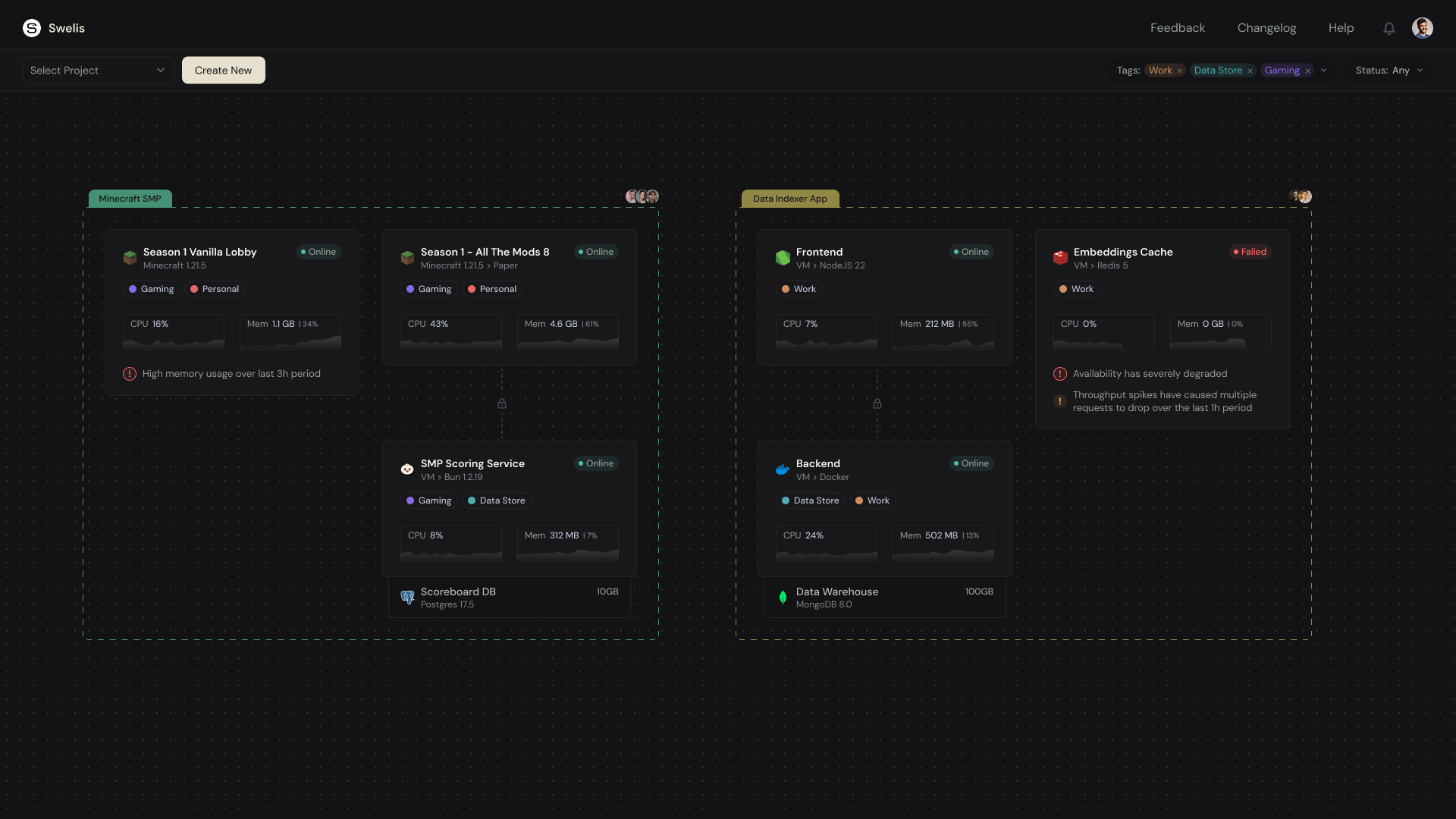
Not every problem is a RAM problem. If your server uses less than 60% of allocated RAM consistently, you might be paying for more than you need. Check your RAM usage in the Swelis dashboard metrics panel — it shows real-time memory consumption.
How Swelis Makes It Easy
On Swelis Hosting, you pick your RAM with a simple slider — from 1 GB to 16 GB. No complicated plans or tiers to decode.
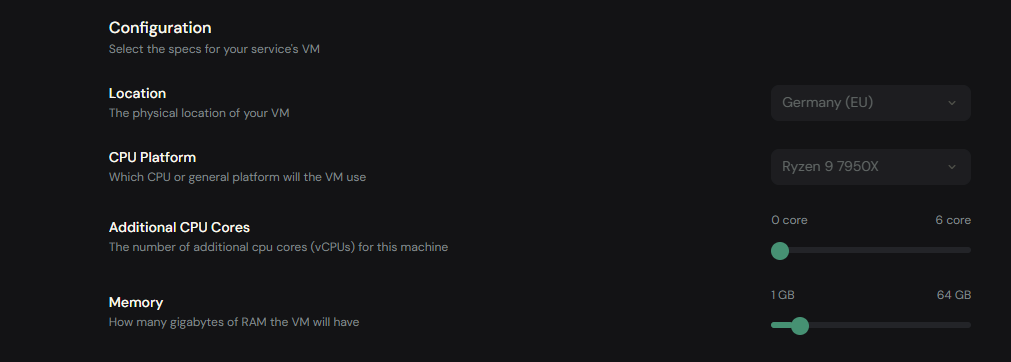
Pricing is straightforward:
- Budget tier (AMD Ryzen 9 7950X3D): €1.50/GB per month
- Performance tier (AMD Ryzen 9 9950X): €3.00/GB per month
So a 4 GB Paper server on the Budget tier costs just €6/month. A 10 GB modded server costs €15/month. No hidden fees, no contracts.
Need to change later? You can adjust RAM anytime from your dashboard — no migration, no downtime for the change to take effect.
Set up your server in under 2 minutes →
The Bottom Line
Start with the quick reference table above, pick the closest match to your setup, and go from there. It's better to start slightly lower and upgrade if needed than to overpay from day one.
Most servers fall into the 2–6 GB range. You only need 8+ GB if you're running heavy modpacks or have 20+ concurrent players.
Related Guides
- Minecraft Server Hosting 101 — the complete beginner guide to hosting your own server