Your World, Your Rules
Terraria is one of those games that's infinitely better with friends. Boss fights, building projects, exploring the dungeon at 2 AM — a dedicated server means your world is always on, always saving, and anyone can join anytime.
Swelis runs TShock — the most popular Terraria server mod — which gives you permissions, groups, anti-cheat, and server-side characters out of the box.
1. Create Your Server
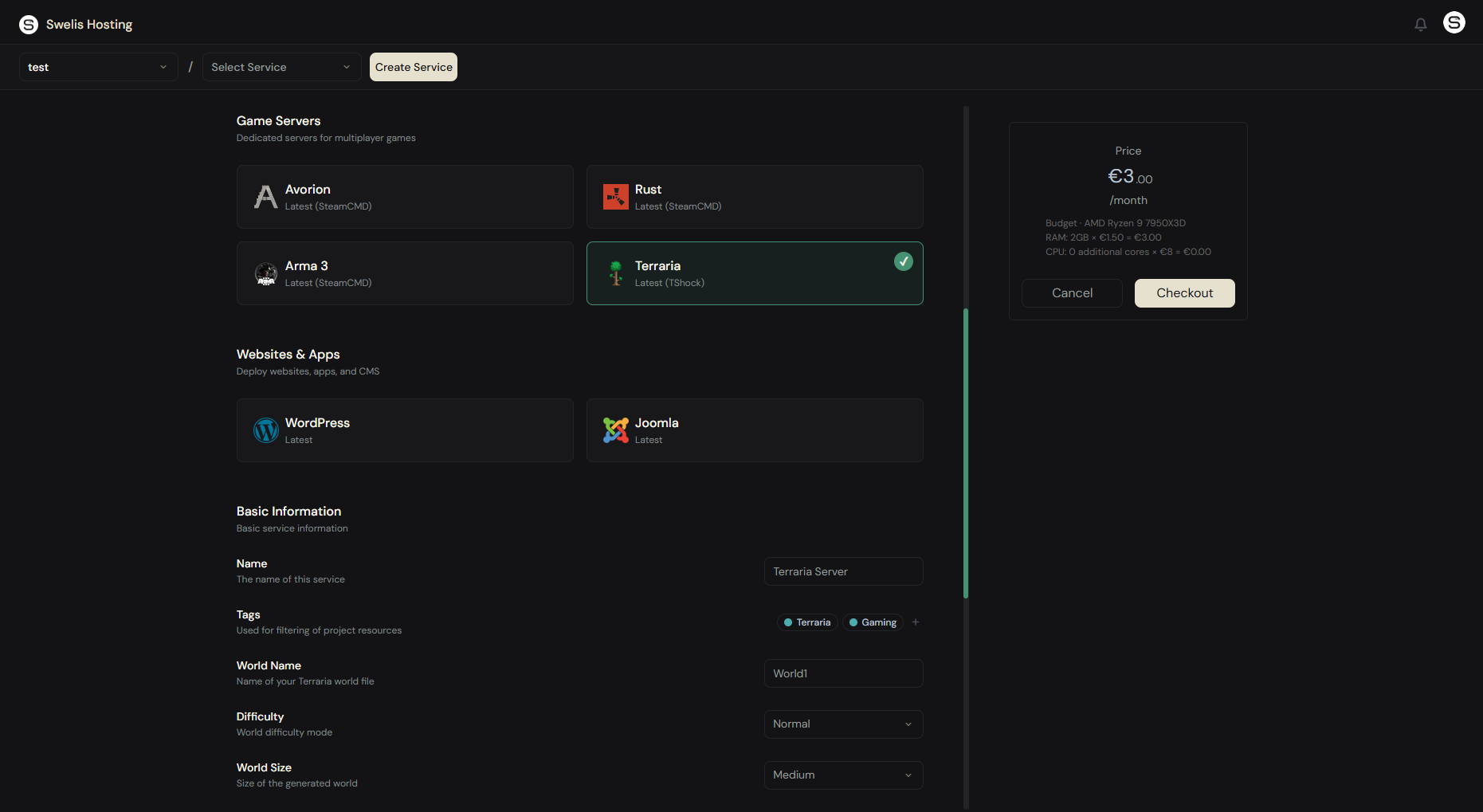
Log in to the Swelis Dashboard and click Create Service. Under Game Servers, select the Terraria template.
Configure your world:
- World Name — The name of your world file (e.g. World1)
- World Size — Small, Medium, or Large. Large worlds take longer to generate but give you more room to explore
- Difficulty — Normal, Expert, Master, or Journey. Expert and Master add harder enemies and better loot
- Max Players — Up to 255 (though 8-16 is typical)
- Password — Leave blank for open, or set one for private play
- Memory — 2 GB is enough for most servers, 4 GB for large worlds with many players
Click Create and Swelis installs TShock, generates your world, and starts the server.
2. Connect and Play
Open Terraria, go to Multiplayer > Join via IP, and enter your server's IP and port from the dashboard. If you set a password, enter it when prompted.
That's it — you're in.
3. Manage Your Server
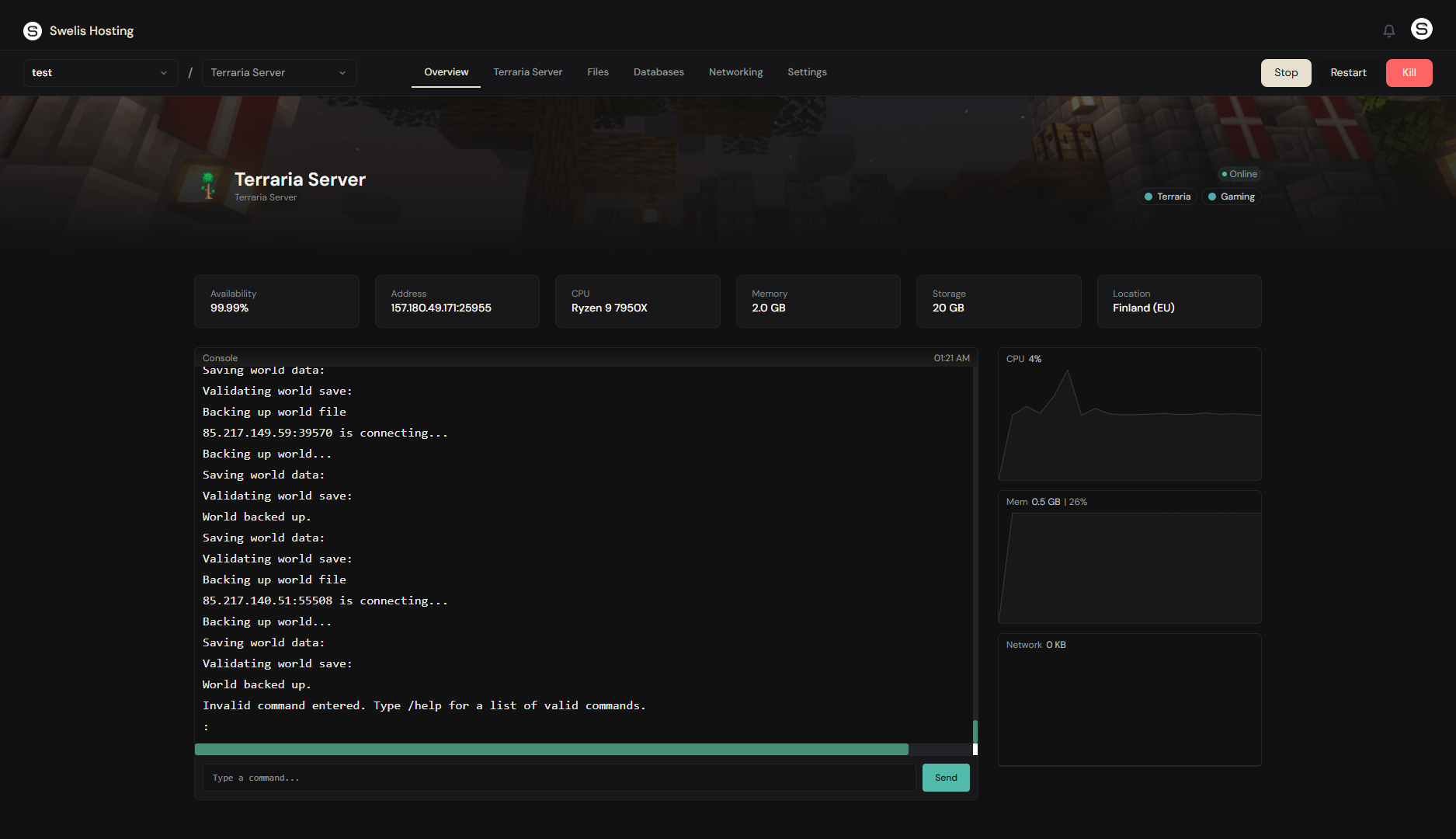
The Swelis Control Panel gives you full control:
- Console — Run TShock commands (
/kick,/ban,/time noon,/godmode) - File Manager — Edit
tshock/config.json, manage world files, upload plugins - FTP Access — Bulk file transfers for maps and plugins
- Backups — One-click snapshots before boss fights or big builds
4. TShock Essentials
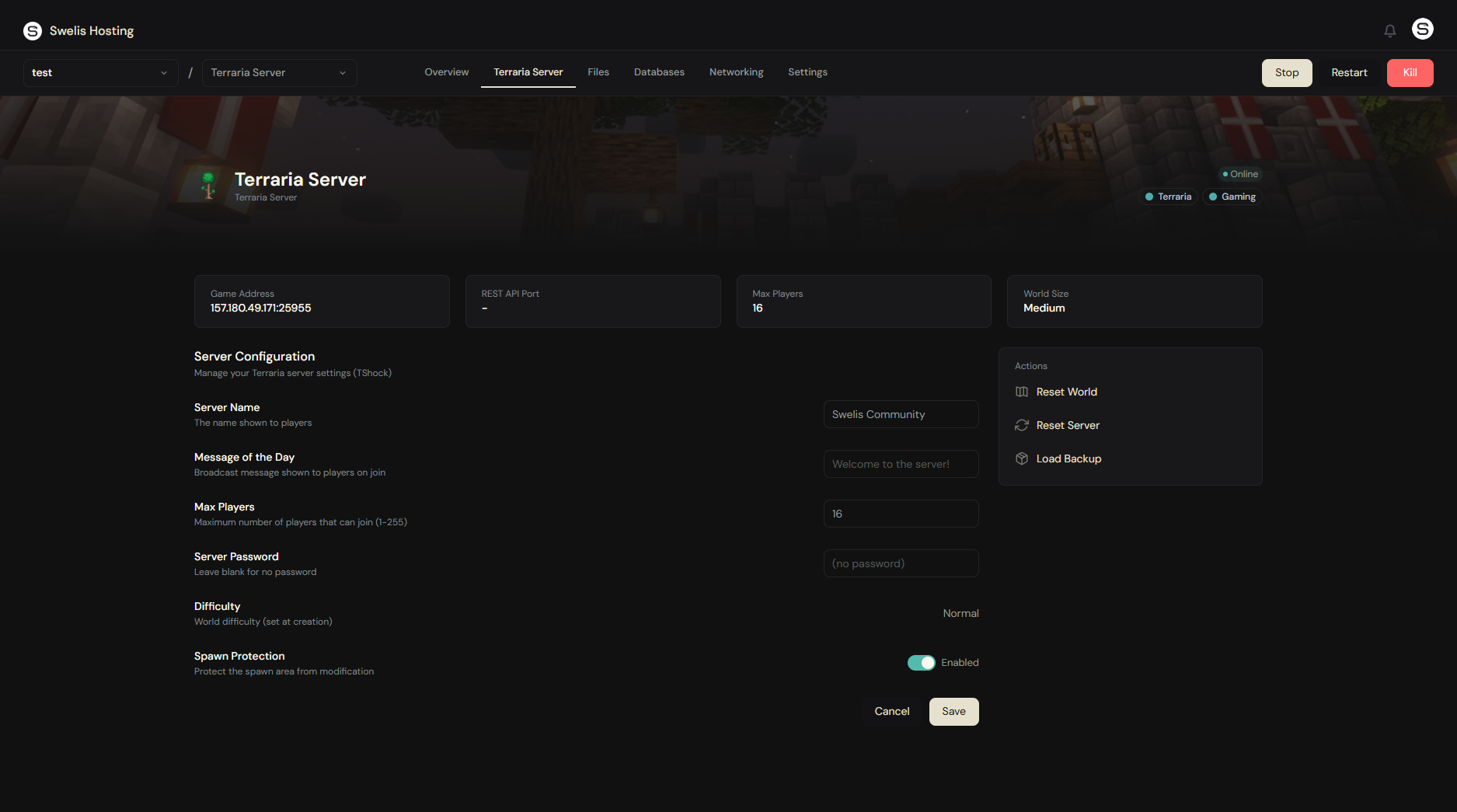
TShock adds server-side features that vanilla Terraria lacks:
| Feature | What it does |
|---|---|
| Groups & Permissions | Create roles (Admin, Mod, Guest) with granular permissions |
| Server-side Characters | Prevent item duping — characters are stored on the server |
| Anti-cheat | Block hacked clients and impossible actions |
| Warps | Set teleport points players can use |
| Regions | Protect areas from building/breaking |
5. Add Plugins
TShock supports plugins — drop .dll files into the ServerPlugins/ folder via the file manager or FTP and restart. Popular picks:
- InfiniteChests — Remove the world chest limit
- WorldEdit — Bulk block editing for builders
- SEconomy — In-game economy with shops
- AutoBroadcast — Scheduled server messages
Tips for a Great Terraria Server
Use Medium or Large worlds. Small worlds feel cramped with more than 3-4 players. Large worlds give everyone room to build and explore without stepping on each other.
Start on Expert for experienced groups. Expert mode's loot (treasure bags, expert-exclusive accessories) is worth the difficulty spike. Save Master mode for players who've beaten Expert.
Enable server-side characters for public servers. Without it, players can join with end-game gear on a fresh world. TShock's SSC keeps things fair.
Back up before hardmode. The Wall of Flesh kill permanently changes your world. If the corruption/crimson spread isn't what you want, restore from the backup.
Related Guides
- Set Up a Minecraft Server — Same dashboard, different game
- Set Up a Rust Server — Survival with a different flavor
- Backup Strategies — Protect your world before boss fights
- A Tour of the Swelis Control Panel — Everything in one place
Ready to dig? Create your Terraria server now — world generation takes about 30 seconds.