Update Now — 26.1.2 Ships a Silent Security Fix
Mojang released Minecraft Java Edition 26.1.2 on April 9, 2026, and the release notes are unusually terse: "This version fixes an undisclosed exploit. Upgrade to this version as soon as possible."
Under responsible-disclosure rules, the specifics stay under wraps for one week after release. But the message is clear — every server still running 26.1 or 26.1.1 should update today. Exploits that are worth suppressing details for are worth taking seriously.
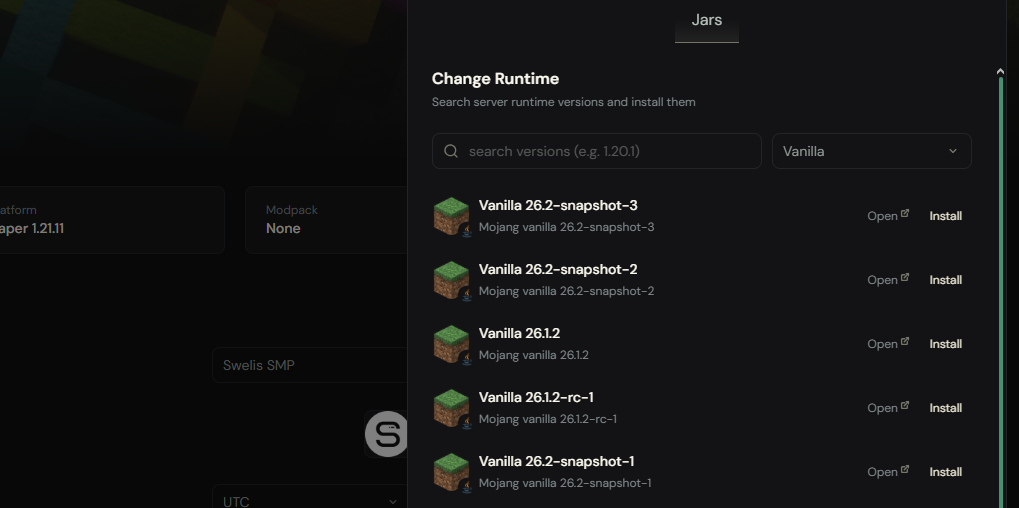
If you're hosting on Swelis, updating is a single click in the version manager. Everything else stays intact — your plugins, configs, worlds, and players.
The 26.1 Series at a Glance
The 26.1 cycle is the first Java Edition release using Mojang's new year.drop.hotfix version format. Here's what shipped across the three releases:
| Version | Date | Summary |
|---|---|---|
| 26.1 "Tiny Takeover" | March 24, 2026 | Major drop — new blocks, baby mob overhaul, technical changes |
| 26.1.1 | April 1, 2026 | Single fix — chat reporting when chat is enabled |
| 26.1.2 | April 9, 2026 | Undisclosed security exploit patch + UI polish |
All three are compatible with each other at the protocol level (protocol 775, data version 4790), so you can mix 26.1.x clients and servers without issue — but you'll want everyone on 26.1.2 for the security fix.
26.1 "Tiny Takeover" — The Big Drop
Gameplay Additions
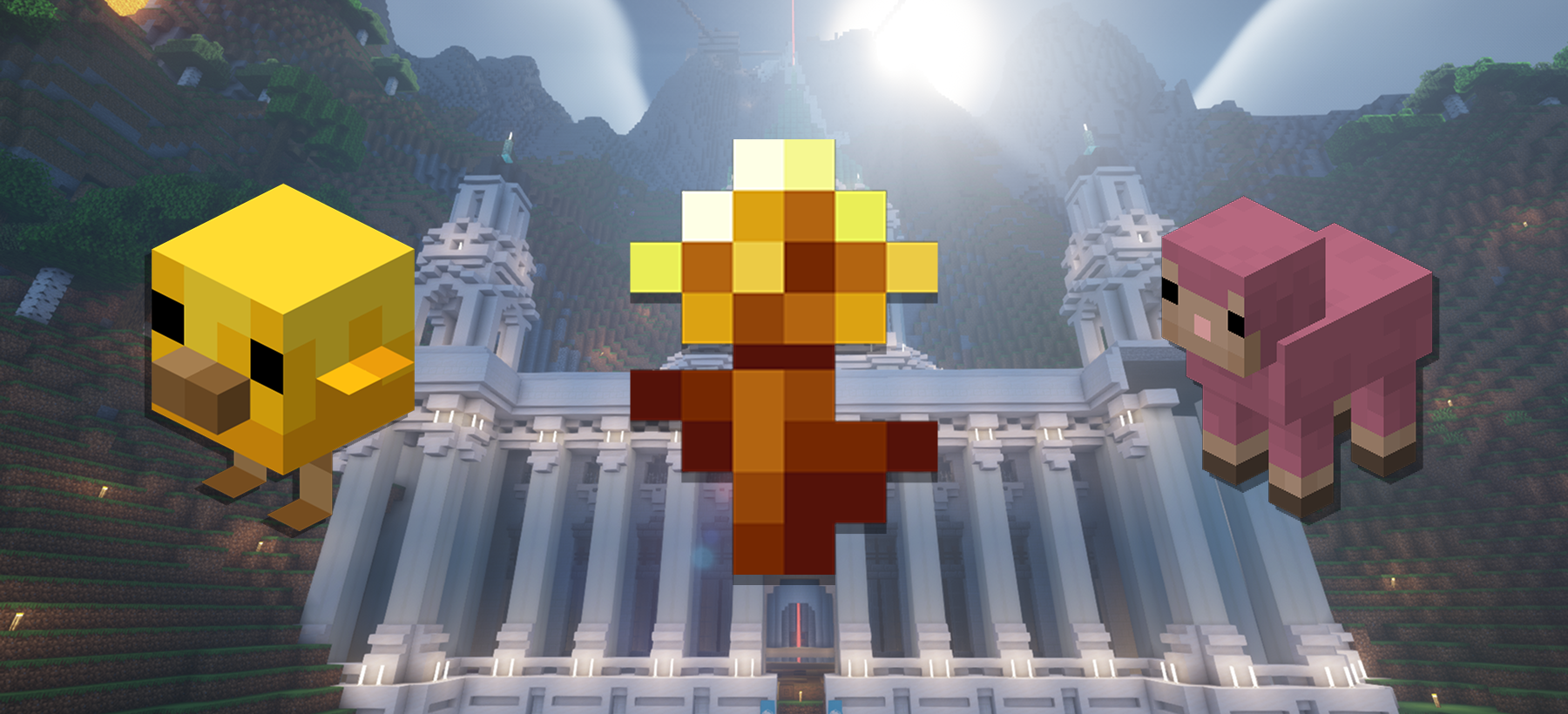
Golden Dandelion is the headline feature — a new decorative flower crafted from 1 dandelion + 8 gold nuggets. Its unique mechanic: placing it near a baby mob pauses aging. Apply it and the animal stops growing up (green particles flow downward); remove it and aging resumes (green particles rise). Useful for breeding setups, zoo-style farms, and screenshots.
Name Tags Are Now Craftable — 1 paper + 1 nugget (any type) produces a name tag. The old treasure-chest-only rarity is gone. Expect to see a lot more named animals on your SMPs.
Baby Mob Overhaul — Every baby mob (except baby nautiluses and ghastlings) got updated models, textures, and bounding boxes. Cats, chickens, horses, pigs, and wolves now have unique baby sounds. Baby villagers and zombie villagers use modular overlays. Armor no longer renders on baby pigs, camels, and wolves.
Technical Changes That Matter for Servers
This is where 26.1 really affects hosting:
Java 25 is now required. The minimum Java version jumped from Java 21 to Java 25. If you run a Minecraft server on your own hardware, you need to update your JDK. On Swelis, the Java runtime is managed for you — every new server ships with Java 25 out of the box, and existing servers are migrated automatically on version upgrade.
Default RAM allocation doubled. Vanilla's default is now 4 GB instead of 2 GB. Mojang made this change because modern worlds, with bigger render distances and richer world generation, genuinely benefit from the headroom. If you're choosing RAM for your server, 4 GB is now the sensible floor for vanilla; 6–8 GB for modded.
ZGC is the new default garbage collector. ZGC (Z Garbage Collector) replaces G1GC for vanilla. The result: much smaller GC pauses, fewer TPS dips when chunks load, and smoother framerates. Server operators who used to hand-tune -XX:+UseG1GC flags can largely leave the defaults alone now. If you're chasing every last drop of performance, ZGC is a genuine upgrade.
Data-driven villager trades. Trades are now fully customizable via datapacks. The hardcoded trade tables are gone. This is huge for server admins who want to rebalance economies, add custom profession trades, or design adventure maps with bespoke villager interactions.
World Clocks. Dimensions can now have independent time systems. Your nether can run on a different day/night cycle than the overworld. Adventure map creators and technical players will find this invaluable.
First fully unobfuscated release. For modders, 26.1 is the first version shipped without an obfuscated variant. This accelerates mod development and makes server-side plugin work more ergonomic.
26.1.1 — A One-Line Hotfix
Released on April 1, 2026 (the only non-joke April Fools' update in Java Edition history, according to the wiki), 26.1.1 addressed exactly one issue:
- MC-307140 — Chat messages can no longer be reported when chat is enabled.
That's it. If you're already on 26.1 and never noticed anything wrong with chat reports, you wouldn't have missed much. But 26.1.2 supersedes it anyway, so go straight to the latest.
26.1.2 — The One You Must Install
Released April 9, 2026. The release notes contain:
- An undisclosed security fix — Mojang will publish details one week after release.
- UI polish — checkbox tooltips now only show when text overflows two rows; the Report Player confirmation checkbox now has a tooltip matching the message text.
When Mojang tells you to upgrade "as soon as possible," listen. Security exploits that warrant a week-long embargo are almost always remotely exploitable — meaning an attacker who can reach your server's port might be able to abuse them. This is the kind of update that should hit production in hours, not weeks.
How to Update Your Server
On Swelis
- Open your server in the Control Panel
- Click Change Version on the runtime card
- Search for "26.1.2" and click Install
- The panel stops the server, swaps the JAR, and restarts — all in under a minute
Before you do it: snapshot your world. Updates rarely break things, but "rarely" is not "never," and one-click restore is the safety net.
On Self-Hosted Servers
Updating 26.1.x on your own box involves a handful of steps:
- Stop the server (let it save fully)
- Back up the world and server folder
- Install or verify Java 25 (check with
java -version) - Download the new 26.1.2 server JAR from minecraft.net
- Replace the old JAR
- If you use Paper, Purpur, or Fabric — wait for their 26.1.2 builds before updating
- Start the server, watch the console for errors
For Paper/Purpur/Fabric
Modded and optimized forks need to catch up to the vanilla release before you can safely upgrade. Check the Paper, Purpur, or Fabric release pages for 26.1.2-compatible builds. Running a 26.1 Paper build against 26.1.2 vanilla is not supported.
For plugin-heavy servers, check compatibility with the new protocol version (775) before upgrading — most plugins update quickly for patch releases, but custom NMS-using plugins may need a recompile.
What Server Admins Should Do This Week
- Update to 26.1.2 — this is the headline action.
- Check your Java version — if your host has you on Java 21, push them to upgrade. On Swelis, this is already done.
- Revisit your RAM allocation — vanilla's new 4 GB floor is a good nudge to audit whether your server has enough headroom. If you're on 2 GB, bump it.
- Drop unnecessary G1GC tuning flags — ZGC is the new default and doesn't need most of the legacy flags. Your server's
start.shcan get a lot simpler. - Explore datapacks for villager trades — if you've been waiting to customize your economy, now's the moment.
- Snapshot before you experiment — use backups before trying World Clocks or new datapack trades.
Why We Update Fast
On Swelis, every new Minecraft release shows up in the version manager within hours of Mojang publishing it. We watch the upstream release feeds automatically, and when something like 26.1.2 lands — a release Mojang explicitly flags as a security update — we surface it three ways:
- A severity-coloured banner pinned to the top of the affected service's dashboard, so you can't miss it.
- An email to the owner with the advisory details, current version, and target version.
- Optional opt-in auto-apply: turn on Auto-apply security updates in the service's Settings tab and we'll take a snapshot backup and roll the server to the fixed version for you — respecting any quiet-hours window you've set in your account so we don't restart your server mid-prime-time.
You don't manage the Java runtime. You don't edit JVM flags. You don't write start.sh scripts. You click Install — or let the platform do it on a flagged security release — and everything else just works, including starting the server with 26.1's new 4 GB default, ZGC enabled, and Java 25 running underneath.
Related Guides
- How to Set Up Your First Minecraft Server in Under 2 Minutes — From zero to online in two minutes.
- Minecraft Server Hosting: What RAM Do I Need? — Updated with 26.1's new 4 GB default.
- How to Fix Minecraft Server Lag — Make the most of ZGC's performance gains.
- Best Minecraft Server Plugins 2026 — Plugin ecosystem for the 26.x era.
- Backup Strategies for Game Servers and Websites — Always snapshot before you upgrade.
- A Complete Tour of the Swelis Control Panel — Including one-click version management.